Analysis of Key Concepts in the Rockchip Display Subsystem
Categories:
3 minute read
Calculation Formula for “Frame Rate” in DTS
The frame rate of a mode is not written directly as a field in the timings; instead, it is calculated based on the clock frequency. The calculation formula is as follows:
VOP
Rockchip uses VOP to manage the hardware output ports.
vp = video port
vop = video output processor
- Definition: VOP is the display interface from the memory framebuffer to the display device. It is the display unit used to display the image buffer on the screen. (From sdk-beside-docs/cn/Linux/Graphics/Rockchip_Developer_Guide_Linux_Graphics_CN.pdf)
VOP and VP
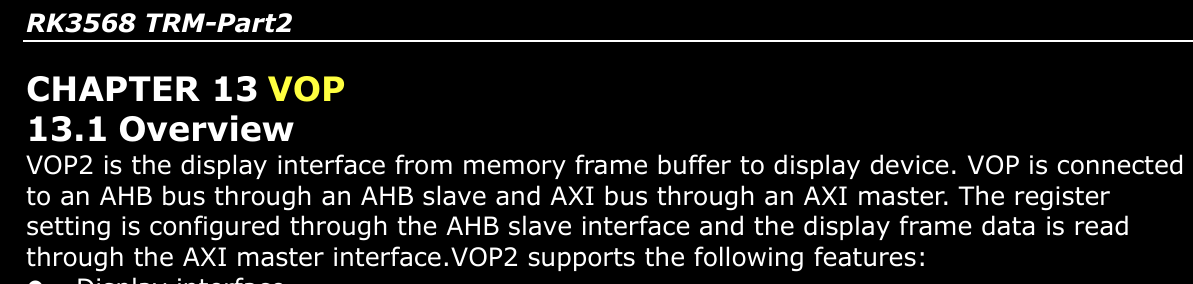 Rockchip’s SoCs have their own VOP. First, there are two versions of VOP: VOP and VOP2.
Our RK3568 uses VOP2. This is an SoC setting and cannot be changed by us.
To determine which version of VOP is used, you need to consult the RK3568 Technical Reference Manual. The filename I have is: Rockchip RK3568 TRM Part2 V1.1-20210301.pdf
Next, let’s talk about VPs. The VOP of each SoC has a varying number of VPs.
For example, RK3568 has 3 VPs, and RK3588 has 4 VPs. You need to check the manual for details. See the image below:
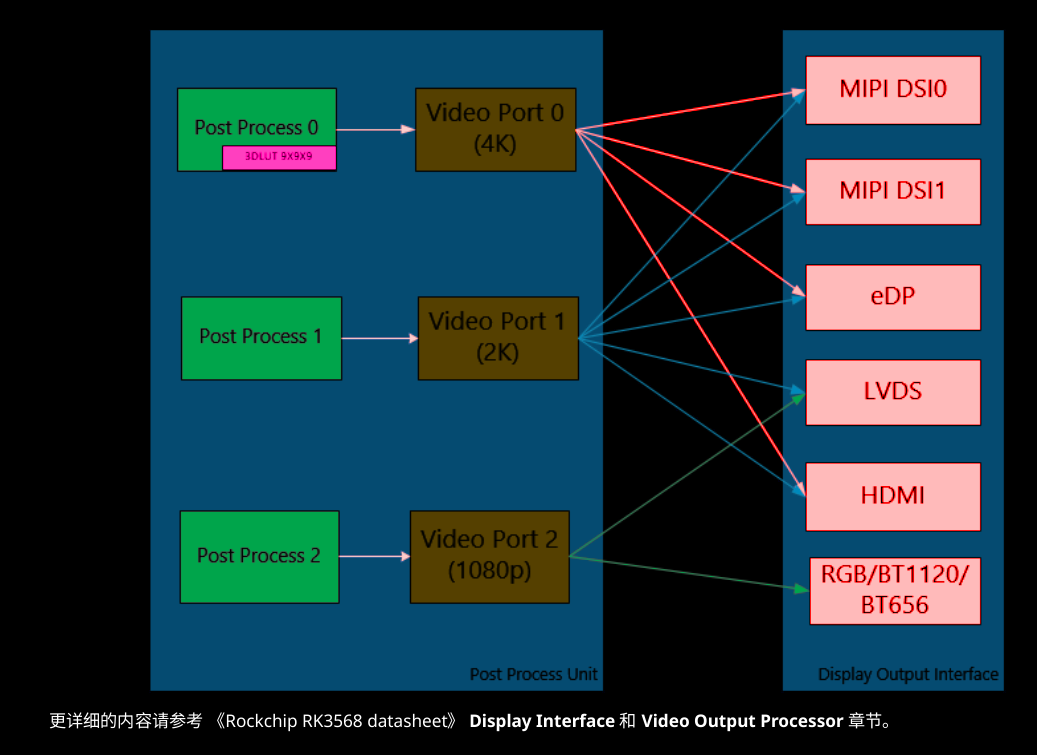
From the image above, you can see that each VP can be connected to different types of interfaces.
DTS
&lvds- Represents the LVDS controller hardware IP (or the equivalent hardware circuit in a logical sense).&vp2- Represents the vp2 IP within the VOP.&panel- This is not a physically existing hardware IP, but it should be treated as a logical device. It is also a node.
- You can think of it as a concept similar to a class in C++, used to describe the specific configuration of the final screen.
They all represent independent (logical) integrated hardware circuit blocks on the PCB. Don’t just think of them as ordinary identifiers in the DTS.
ports: This is the “port collection” or “connection panel” on each device. A device can have multiple connection panels.port@n:- This is a “Port” on a connection panel. You can think of it like an HDMI or USB interface. A port can contain multiple signal endpoints.
port@1indicates that this is an output port.port@0indicates that this is an input port.
endpoint: This is an “Endpoint” on a port, representing a specific signal flow direction. You can think of it as a specific pin or a group of pins on an HDMI interface. It is the smallest unit of connection.
References:
- The most systematic introduction to the display module - sdk-beside-docs/cn/Common/DISPLAY/DRM/Rockchip_Developer_Guide_DRM_Display_Driver_CN.pdf
- The most relevant introduction for LVDS screens - sdk-beside-docs/cn/Common/DISPLAY/LVDS/Rockchip_Developer_Guide_LVDS_CN.pdf